Reaction GIF: Market Crash
A super-cute chibi office worker watches a plunging stock chart β hope, shock, cartoon tears. Built as a seamless 6-frame loop.
ChatGPT Images 2.6 GIF creation turns a text prompt or any photo into a looping animated GIF β in one step, right inside ChatGPT. Adjust the speed, edit individual frames, and share it on repeat. No timeline editor, no frame stitching, no external tools.
Real works from OpenAI's launch announcement: character reactions by OpenArt, an animated mascot for the startup Town, and image works by Picsart β all generated with Images 2.6. Each card shows the kind of prompt that produces it.
A super-cute chibi office worker watches a plunging stock chart β hope, shock, cartoon tears. Built as a seamless 6-frame loop.
The same character celebrates a soaring chart β jumping, cheering, tossing paper banknotes like confetti. The mirror-image loop of the crash GIF.


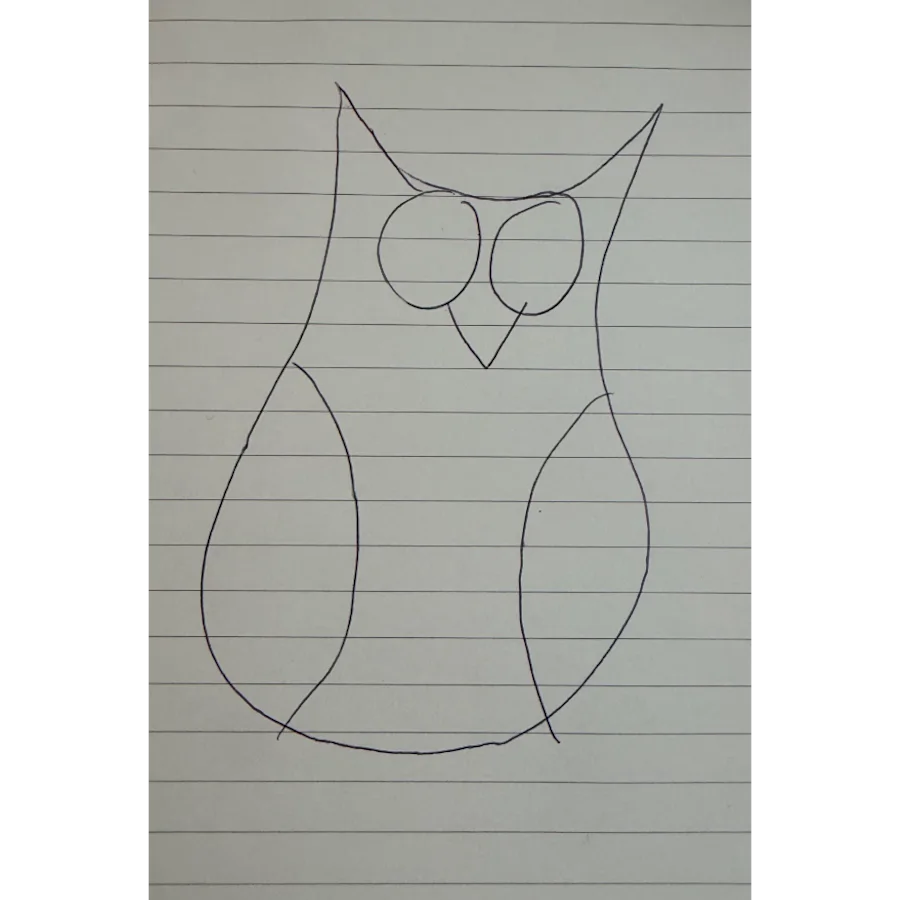
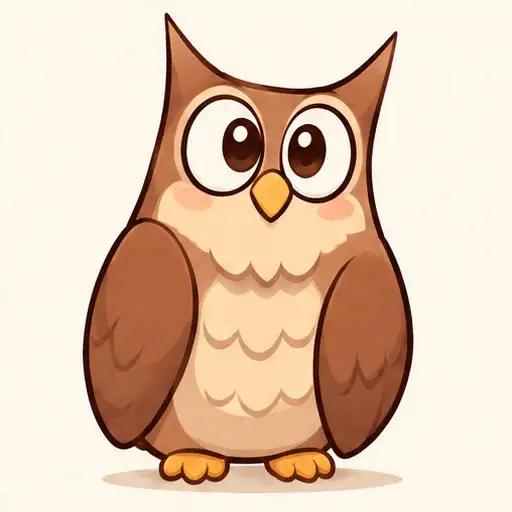
You don't need a polished design. Upload a rough pen sketch and Images 2.6 completes it into an expressive animated character for videos, games and more.
Startup Town used Images 2.6 in the API to give its AI work assistant a personality: Monty appears as a live typing indicator above the message box.
Early-access customer Picsart pushed visual fidelity: a giant multicolored glass whale drifting above misty mountains β the same engine that powers GIF frames.
The same luxury-travel ad generated by 2.5 Flare in 7.8s and 2.6 Flare in 4.82s. Faster iteration means more GIF variants explored per minute.
Everything in the GIF pipeline β generation, tuning, editing and sharing β happens natively in ChatGPT, backed by new API models for developers.
Describe the animation β "a cat dancing", "our mascot waving" β and Images 2.6 produces a seamless looping GIF in one step. The old community workarounds (grid sprite sheets, slicing frames with code) are now built in.
Upload a selfie, a pet photo or a product shot and animate it. Rough drawings get completed into full characters first β then animated.
Too fast or too slow? Dial the playback speed of your GIF up or down until the loop feels right β no regeneration needed.
Scrub the animation frame by frame inside ChatGPT and tweak individual frames β fix a flicker, adjust an expression, perfect the loop point.
Save reference images of yourself, your pets and your characters once β then reuse them in new GIFs without uploading again. Character consistency across creations.
Developers get GPT-Image-2.6 Flare (images in ~6 seconds) and Sunburst (higher quality, stronger consistency across edits), plus image markup, SVG export and a new complexity parameter.
From blank chat to looping GIF in under two minutes β available on every subscription tier, including Free.
Go to chatgpt.com on web, desktop or mobile. Images 2.6 is live for all users globally.
Type what you want to see move ("make a GIF of a cat dancing"), or attach a photo / selfie / sketch to animate.
ChatGPT returns a looping GIF in one step. Iteration is fast β Images 2.6 generates about 50% faster than Images 2.5.
Adjust the animation speed, open the frame-by-frame view, and refine any individual frame until the loop is seamless.
Download the GIF and drop it into chats, socials, docs or campaign decks.
π‘ Pro tip: GIF creation in Images 2.6 is not AI video generation. It's built for loops β brand mascots, reactions, memes, and animated storyboards to explore character movement before video production.
Prompts that work well with Images 2.6 GIF creation β from the official OpenArt examples to community classics.
"Can you make a gif of a cat dancing?""Create a seamless looping GIF of a chibi office worker reacting to a crashing stock chart β hope, shock, cartoon tears.""Upload photo β animate my dog wagging its tail and bouncing, cute 3D style, perfect loop.""Animate our fox mascot waving and thumbs-upping above a message box, flat colors, typing-indicator style.""Turn this product shot into an eye-catching loop: slow hero rotation with soft studio lighting.""Here's my rough sketch β complete it and animate the character walking, keep my drawing style.""6-frame storyboard of a knight entering a dragon's cave, consistent character, cinematic lighting.""Use my saved reference image β make a sticker-style GIF of me celebrating, bouncy kawaii style.""Create a single animation sprite sheet for a seamless looping GIF. A super-cute chibi adult office worker sits at a desk watching a computer monitor with a clearly plunging stock-market line chart. The sequence: hopeful expression, notices the chart falling, eyes widen, face crumples, large cartoon tears stream down both cheeks, then quietly wipes tears while still staring at the falling chart. Exactly 6 sequential frames arranged in a precise 3-column by 2-row gridβ¦ sixth frame transitions smoothly toward the first. Polished kawaii chibi 3D toy-like style, warm pastel lighting, funny and sympathetic mood."
Animate a brand mascot for a campaign or turn a product shot into an eye-catching loop β in minutes, not days of motion-design work.
Generate reactions and memes for social media on repeat, with your face or your characters kept consistent via reference images.
Use animated storyboards to explore character movement before video production begins.
Ship GIF features on top of GPT-Image-2.6 Flare & Sunburst β Town already powers a live mascot typing indicator with the API.
Quick answers to the most common questions about making GIFs with ChatGPT.
Yes. Images 2.6 rolled out globally on November 4, 2026 across all ChatGPT and Codex subscription tiers β including Free β on web, desktop and mobile.
Yes. Upload a photo, selfie, pet picture or even a rough sketch, and Images 2.6 animates it into a looping GIF. Sketches can be completed into a fuller character first.
Yes β after generating, you can adjust playback speed and open the animation frame by frame to edit individual frames directly in ChatGPT.
No. Images 2.6 makes looping animated GIFs, not videos. OpenAI suggests it for brand mascots, reactions, memes and animated storyboards β exploring movement before video production.
GPT-Image-2.6 Flare (as fast as ~6 seconds per image at low quality) and Sunburst (higher quality, greater consistency across edits). The API also adds image markup, SVG export and a complexity parameter.
Free on every tier. Open ChatGPT, type a prompt, and watch your idea loop.